 Generate Wasatch Precision Rosette ScreensGenerate Wasatch Precision Rosette Screens
January 28, 2025
When a new Wasatch Precision Rosette Screen (WPRS) is needed, it can be created by pressing the button labeled Generate Screen on the main window for Wasatch Precision Rosette Screens.
Pressing Calculate can be a lengthy process but once it is done, the new screen is saved on disk and can be reused. Pressing the Generate Screen button will cause the following window to appear.
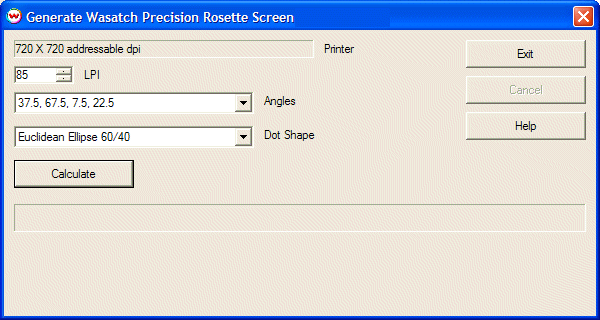
The display of addressable dpi for the Printer is identical to that for the parent window.
LPI may be set to any number between the maximum and minimum allowed by WPRS for the printer's addressable dpi. The control automatically limits input to the supported range.
Angles may be either of the two ISO sets, specifically:
Available Dot Shapes are shown below.
Pressing the Calculate button starts the process. This can take anywhere from a a few seconds up to a handful of minutes, depending on computer specifications and on the particular set of numbers chosen. The calculation can be interrupted at any time by pressing "Cancel".
Once the calculation is complete, the new screen is selected for the imaging configuration that is currently open. It is permanently saved on disk, and can be reused with no need to do the lengthy calculation again.

Euclidean Round

Euclidean Ellipse 60/40

Euclidean Ellipse 70/30

Simple Round