 Zund Cut Center ZCC
April 5, 2010
Going to the Print menu and selecting Setup followed by Edit and Properties will open the control panel for this printer.
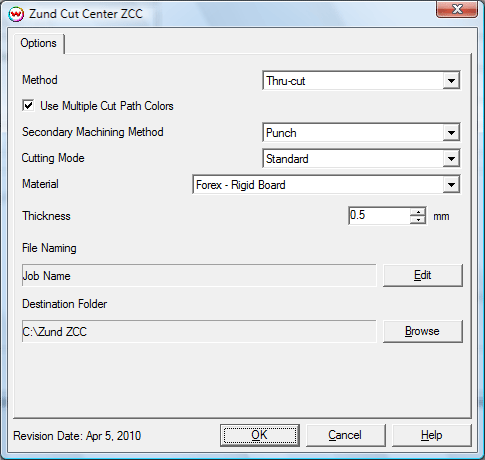
- Method: Select the machining method for the main cut path.
The following machining methods are available:
- Thru-cut
- Kiss-cut
- Route
- Crease
- V-Cut
- Draw
- Engrave
- Punch
- Use Multiple Cut Path Colors: Check this option if multiple cut paths are intended to be used with multiple machining methods.
- Secondary Machining Method: With multiple cut paths enabled, select the secondary machining method for the additional cut path. Options are the same as for the main cut path (above).
- Cutting Mode: Select the desired cutting mode. Select between Speed, Quality, and Standard.
- Material: Select the type of material currently loaded on the Zund cutter.
- Thickness: Select the thickness of the currently loaded material.
- File Naming: Allows the namiing to be adjusted by adding the Job Name, Index (Print Queue index), Date, and Time.
- Destination Folder: Set a location to save the output file.