Print from Stock Image Folder Print from Stock Image Folder
|
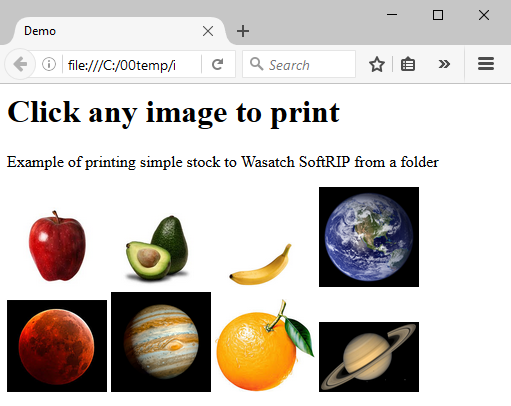
It can be powerful to use a browser as a user interface to print stock photos in a point-of-sale situation. Complete source code is below. In this example, a Python 3 script finds all the jpg and png files in its working folder, and launches a page of thumbnails in a browser. Clicking on any thumbnail will cause that file to be printed. This uses the xmlsubmission.dyn feature of the Automation Option, an extra cost add-on for Wasatch SoftRIP.Running the script in a folder with eight jpg files launches a browser with a view like this:
This script has been kept very simple to serve as a document. A little editing can produce great improvements in esthetics, and a bit more work on this Python script could have it traverse a tree of folders, or work as part of a web-to-print solution. To make this work smoothly, modify the response of xmlsubmission.dyn so that the browser doesn't get stuck in Processing.... This can be done by creating a file submissionAck.html in the folder httpService\interfaces\default, and filling it with the HTML/Javascript source code shown below. This was written to run on a local file system. Because it relies on the browser do the thumbnailing (client side) it would be pretty inefficient to run over a network. Of course a Python programmer could enhance this with code to create a simple thumbnailing system. Python 3 Source CodeHTML/Javascript Source Code for 'httpService\interfaces\default\submissionAck.html' |