 Locor Ajet 1602P Locor Ajet 1602P
ATOOLS is a third party application that is used to communicate with Locor printers. You must run ATOOLS and establish a connection with the printer, following the instructions below, before SoftRIP can send a print job. The Print setup options in ATOOLS will allow you to change between bidirectional and unidirectional printing (Dirc control) as well as microweaving (Soft control) and the Speed. Changing the alignments and advanced controls may have a negative effect on quality, please contact your dealer for support on these options.
The computer connected to the Locor printer normally needs to have a static IP address set to 196.12.0.188. Consult Microsoft or search online for help with setting a static IP in Windows.
To launch ATOOLS, from the Print Setup window click Edit -> Properties -> Run ATOOLS:
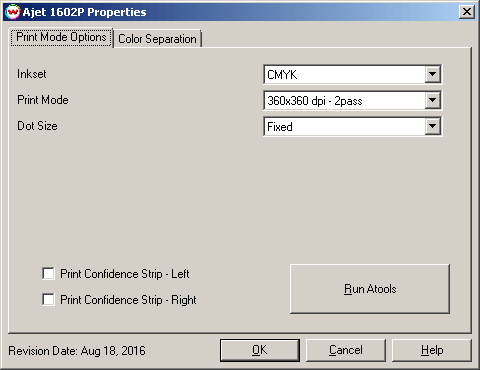
Once the computer's IP has been set to the static IP address, press the Run ATOOLS button in the Print Mode Options window and click the Connect button to connect to the printer.
The ATOOLS utility can now be closed and SoftRIP can be used.
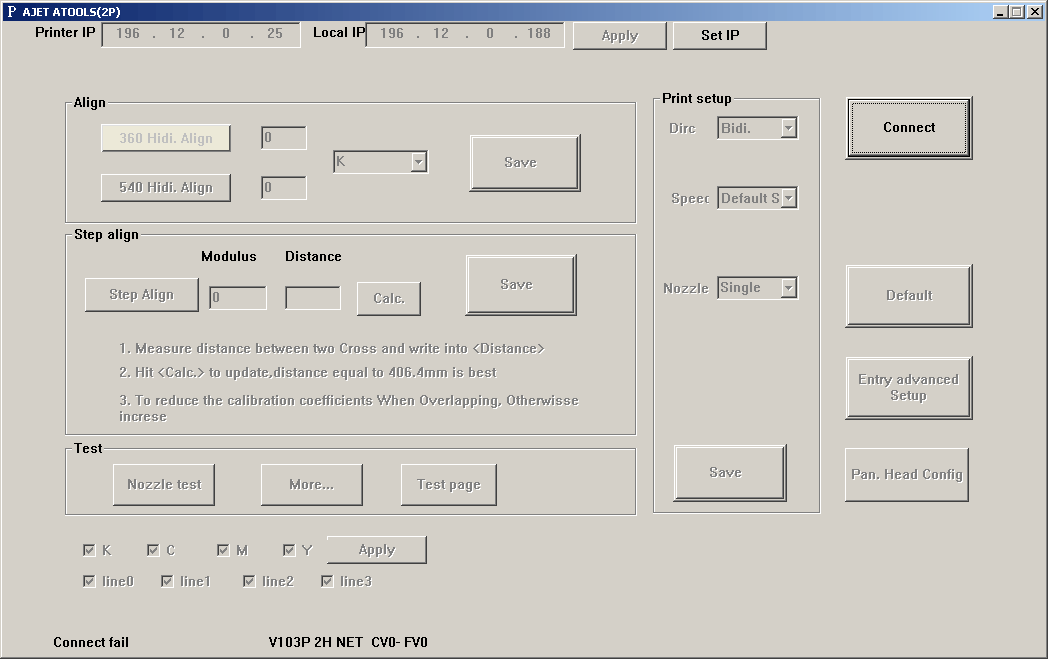
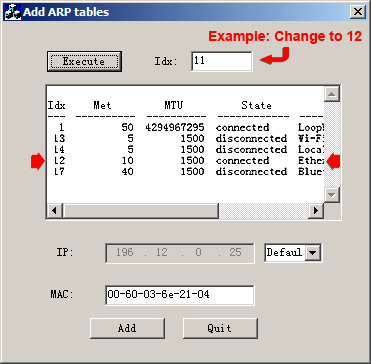
Before ATOOLS can be used to connect SoftRIP to the printer, the index number (Idx) that the printer will use for its connection may need to be changed. To do this, the Windows 8 setup utility (Add_ARP_V1.exe) will need to be run as an Administrator to make the necessary changes to the computer. To run the file as an administrator, right-click the file and select Run as Administrator. This program can be found HERE.
Once the utility opens, click Execute to locate the Idx value for the local Ethernet. Enter the Idx value from the window below into the Idx box at the top (see graphic below). Click Add, then Quit.
Once the computer's IP has been set to the static address, press the Run ATOOLS button in the Print Mode Options window and click the Connect button to connect to the printer. The ATOOLS utility can now be closed and SoftRIP can be used.
If you click on the Properties button next to the Printer Model window in the Imaging Configuration screen, the following control panel for this printer will be displayed:
The Print Mode Options tab has the following settings.
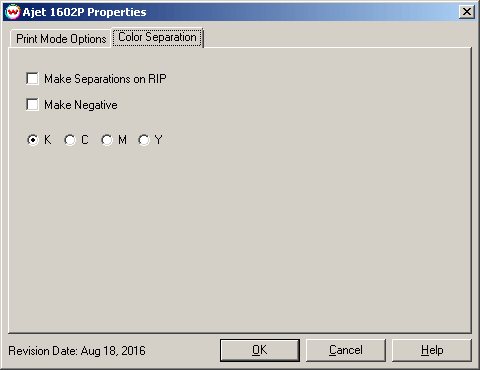
The Color Separations controls are the same as those of other printers, and will only be available when a monochrome mode has been selected on the Print Mode Options tab.