 Mimaki TS200
March 16, 2026
Please note the following when setting up the printer physical connection:
- The Mimaki driver is required for USB and network communication. Please visit the Mimaki website to download the latest driver.
- When using TCP/IP connections, 1000Base T (Gigabit) hardware is required. It is recommended to use Cat 6 or better cables.
- When setting up the IP addres in SoftRIP, the port number should be set to 11110.
Print Mode Options:
To launch the printer properties for this driver, choose 'Setup' from the 'Print' menu, then click on the 'Edit' button, and then click on 'Properties'.
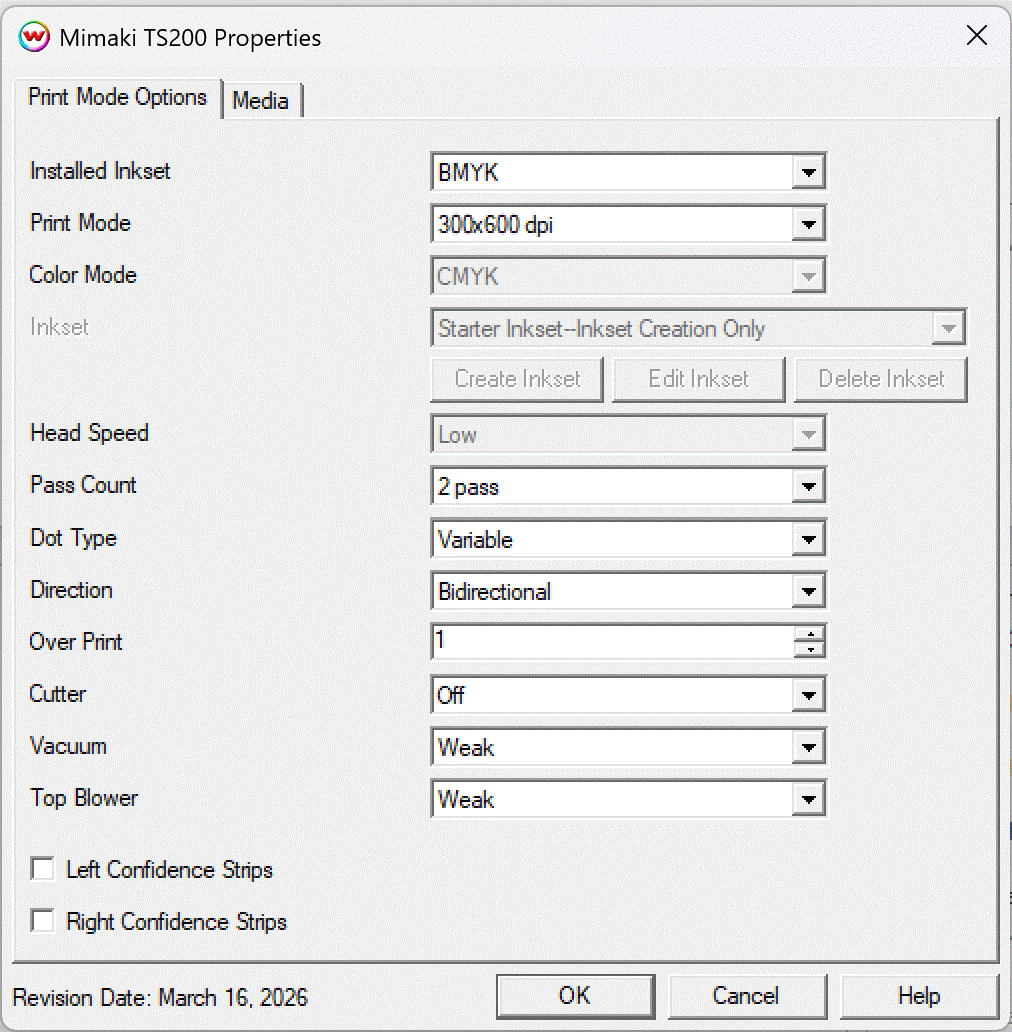
- Installed Inkset: Set the Inkset that is in the printer.
- Print Mode: Choose the resolution.
- Color Mode: Select your prefered color mode from the available list for your installed inkset.
- Inkset: When the Color Mode is set to one of the 'Custom Inkset' choices, then a custom inkset can be created or used for printing.
- Create Inkset: Create a new custom inkset.
- Edit Inkset: Edit an existing custom inkset.
- Delete Inkset: Delete an existing custom inkset.
- Head Speed: Controls the 'High Speed' option available in certain resolutions.
- Pass Count: Allows you to specify the number of passes the head will make over a particular line. A higher pass count has a better quality but a slower print speed.
- Dot Type: Select the dot type: Fixed Dot or Variable Dot.
- Direction: Print in both directions (bi) or one direction (uni).
- Over Print: Prints over the printed area the selected number of times. For example, if 2 is selected, the amount of ink laid down is doubled.
- Cutter: If enabled, this control will cut the print after printing.
- Vacuum: Controls the strength of the vacuum.
- Top Blower: Sets the strength of the top blower.
- Confidence Strips: Enable the printing of confidence strips on one or both sides of the print.
Media:
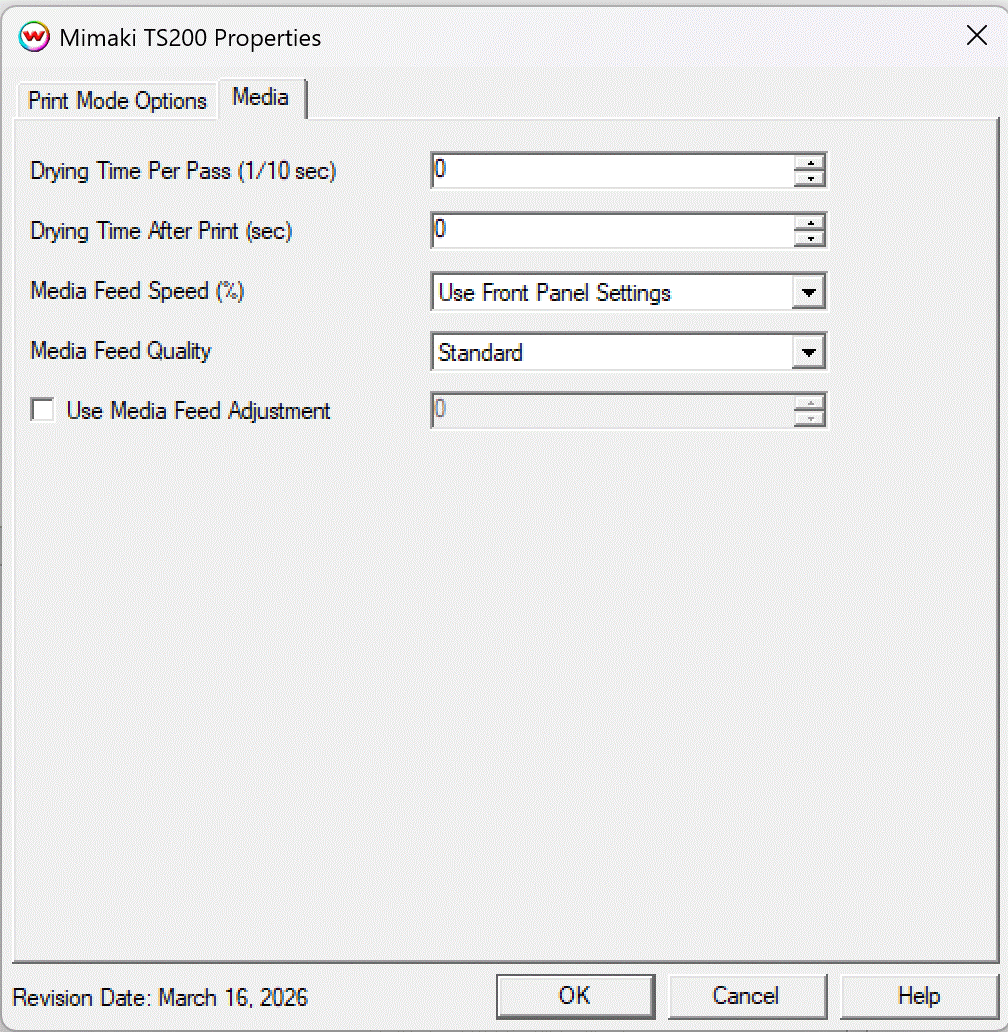
Drying Time Per Pass: Specify dry time between each pass. (in 1/10 seconds)
Drying Time After Print: Specify dry time after printing is complete. (in seconds)
Media Feed Speed: Set the speed the media is fed through the printer as a percentage of the normal speed.
Media Feed Quality: Set the quality of media feed.
Use Media Feed Adjustment: When selected, a value from -9999 to 9999 can be entered to adjust the distance between head passes.