Data View Tab
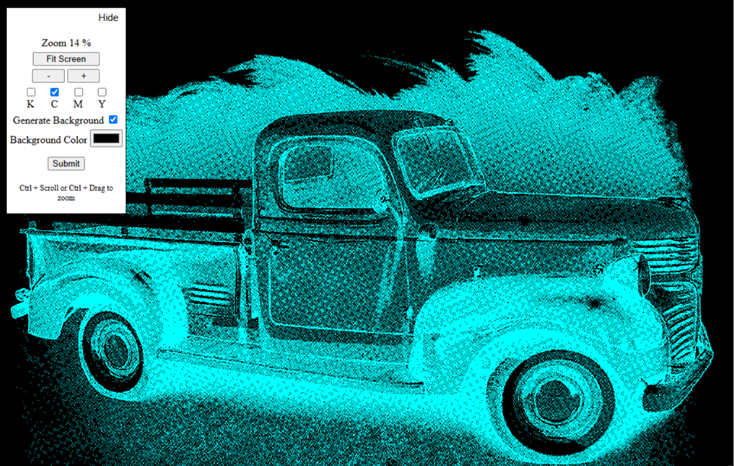
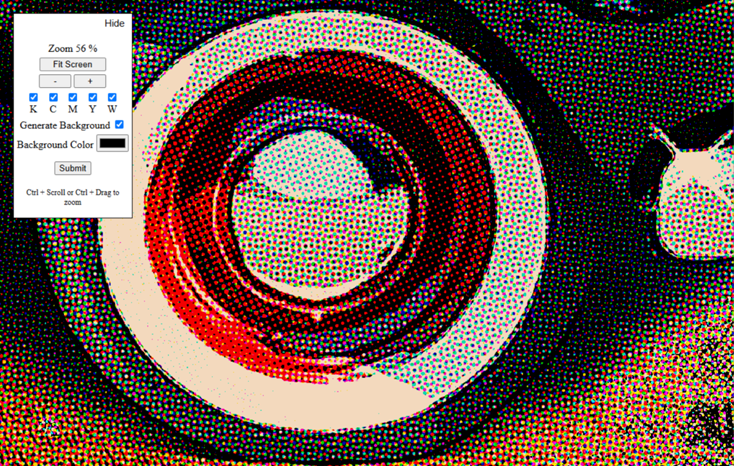
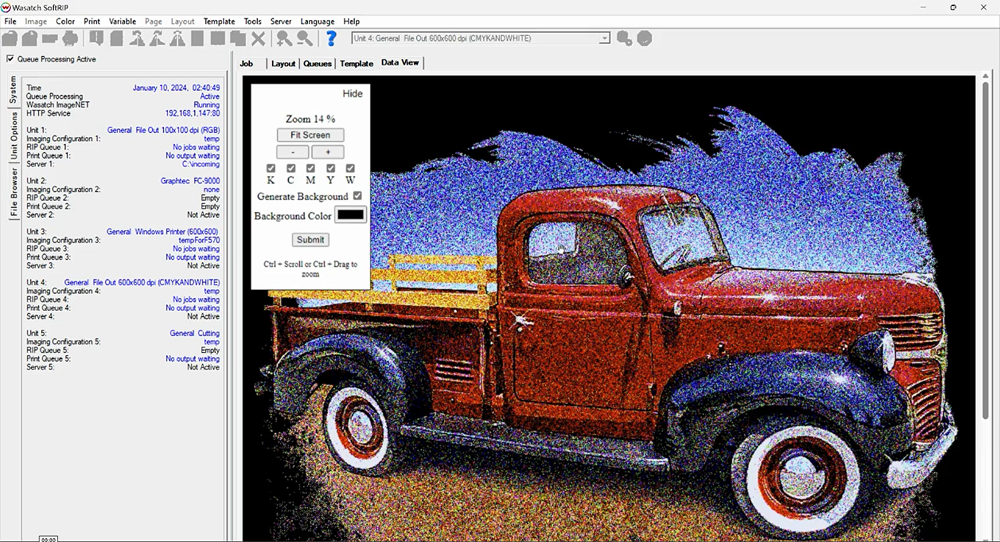
The Data View option in SoftRIP is a powerful pre-press tool that allows operators to preview and inspect the exact rasterized output—dot by dot—before committing to physical printing.
Data View Tab
A small white box will be displayed on the Data View preview, containing the View Options that are available. This window can be dragged around the preview, and the window can be hidden by clicking the Hide option.
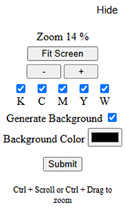
Displays the current zoom percentage (e.g., 14%).
Adjusts the preview to fit the available screen area.
Buttons (- and +) to zoom in and out, alongside navigation instructions (Ctrl+Scroll or Ctrl+Drag, to zoom the preview).
Toggle checkboxes to view or hide specific channels including Black (K), Cyan (C), Magenta (M), Yellow (Y), and White (W).
Toggle option to customize the "Background Color" using a color picker.
Action button to apply settings or process the view.
By offering independent color channel separations — such as Black, Cyan, Magenta, Yellow, and White — it allows for halftone viewing giving precise control over film density, spot color trapping, and white underbase placement. Ultimately, this level of detail is vital for halftone-critical jobs and screen printing, helping eliminate expensive material waste from unexpected artifacts, dot gain, or moiré patterns.